Sparta Labs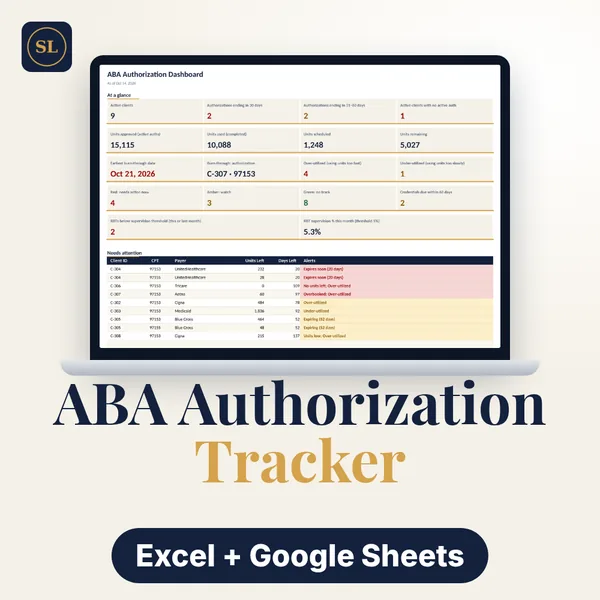
ABA/BCBA Authorization & Caseload Tracker
See where every authorization stands: units used, scheduled and remaining, and the date they'll run out.
Delivery: instant digital download after purchase. No physical product is shipped.
See where every authorization stands: units used, units scheduled, units remaining, and the date they'll run out.
Built around authorized units
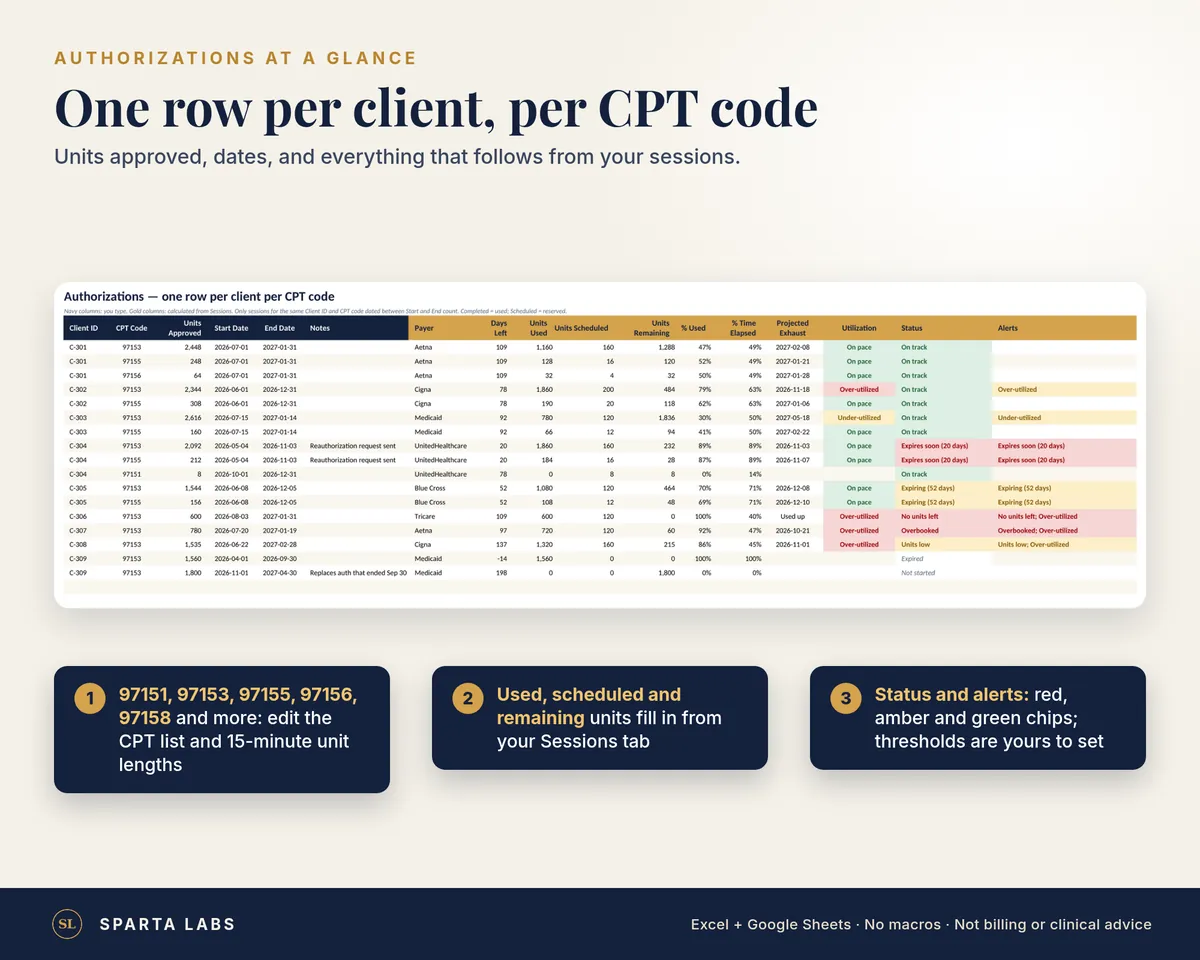
- One row per client per CPT code (97151, 97153, 97155, 97156, 97158 and more; the list and 15-minute unit lengths are editable)
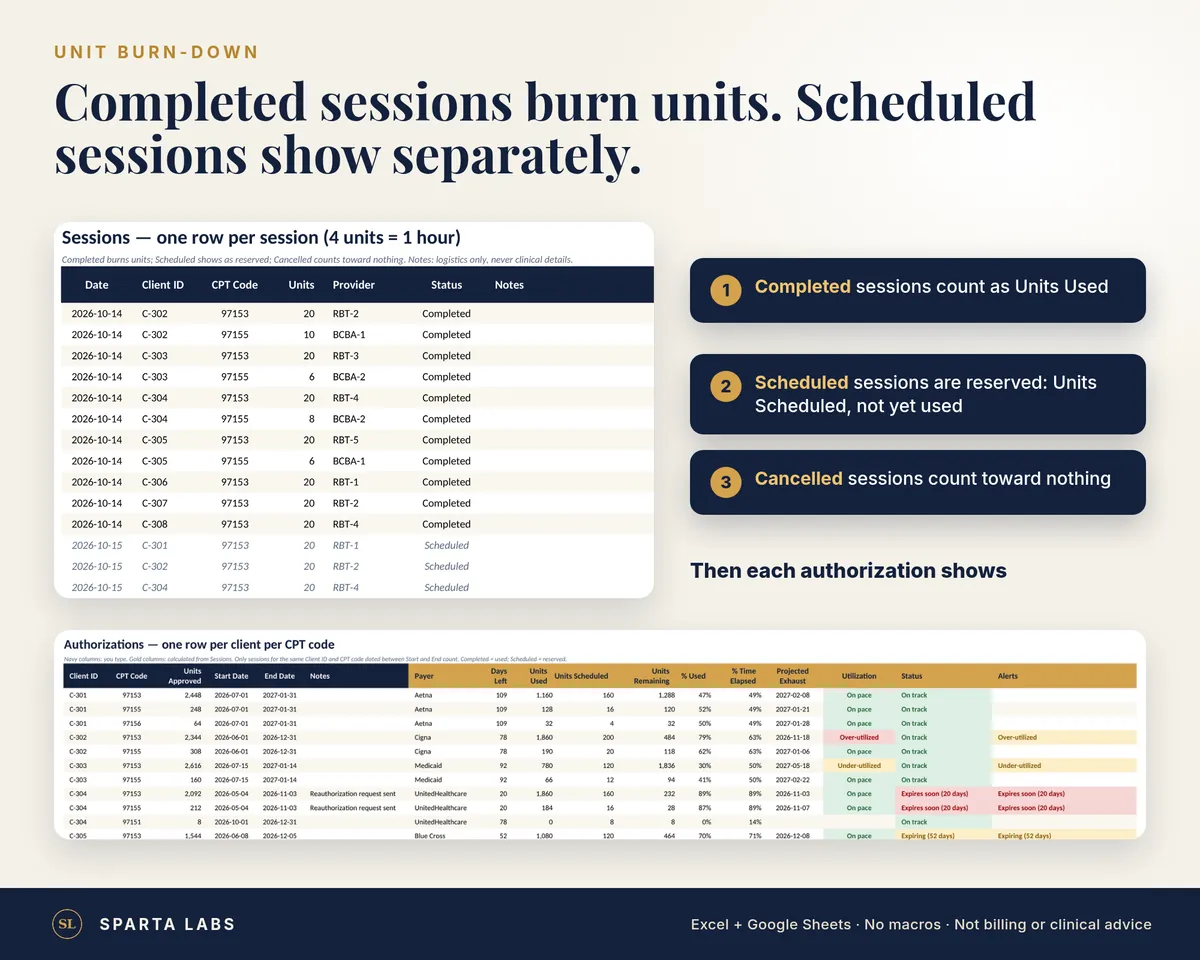
- Units burn down from Completed sessions. Scheduled sessions are shown separately as reserved, and Cancelled sessions count toward nothing
- For each authorization: units approved, used, scheduled and remaining, % used, % of the period elapsed, days left and a projected exhaust date
- Over-utilized and under-utilized flags, based on how fast you're using units compared with the calendar (you set the thresholds)
- Red / amber / green status: no units left, scheduled sessions exceeding what's left, units low, authorization ending in 30 or 60 days
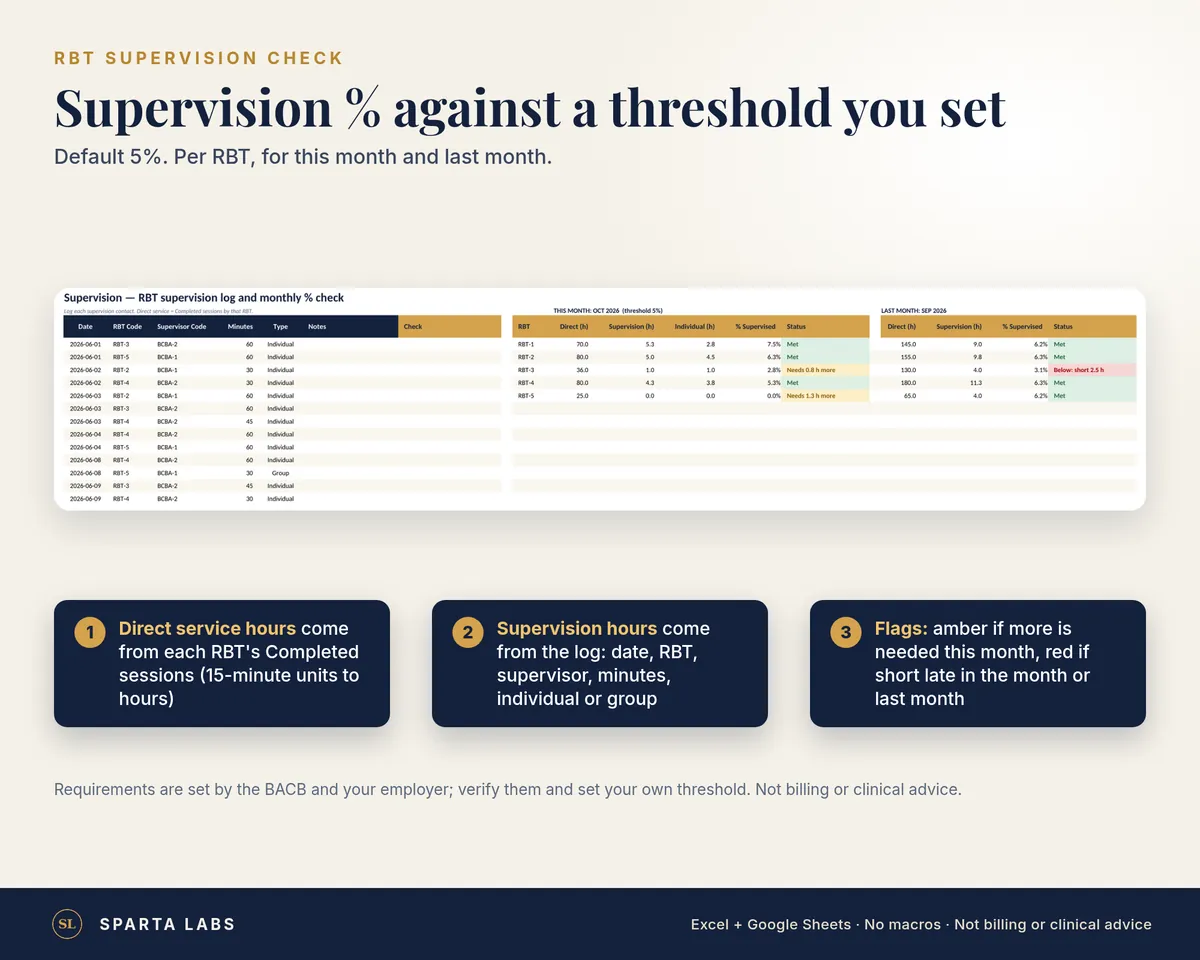
- RBT supervision % check against a threshold you set (default 5%): direct service hours per RBT from Completed sessions (15-minute units to hours) vs. the supervision minutes you log (individual or group), for this month and last month, with amber and red flags
- A check that flags sessions with no matching authorization (wrong CPT code, or a date outside the authorization)
Dashboard
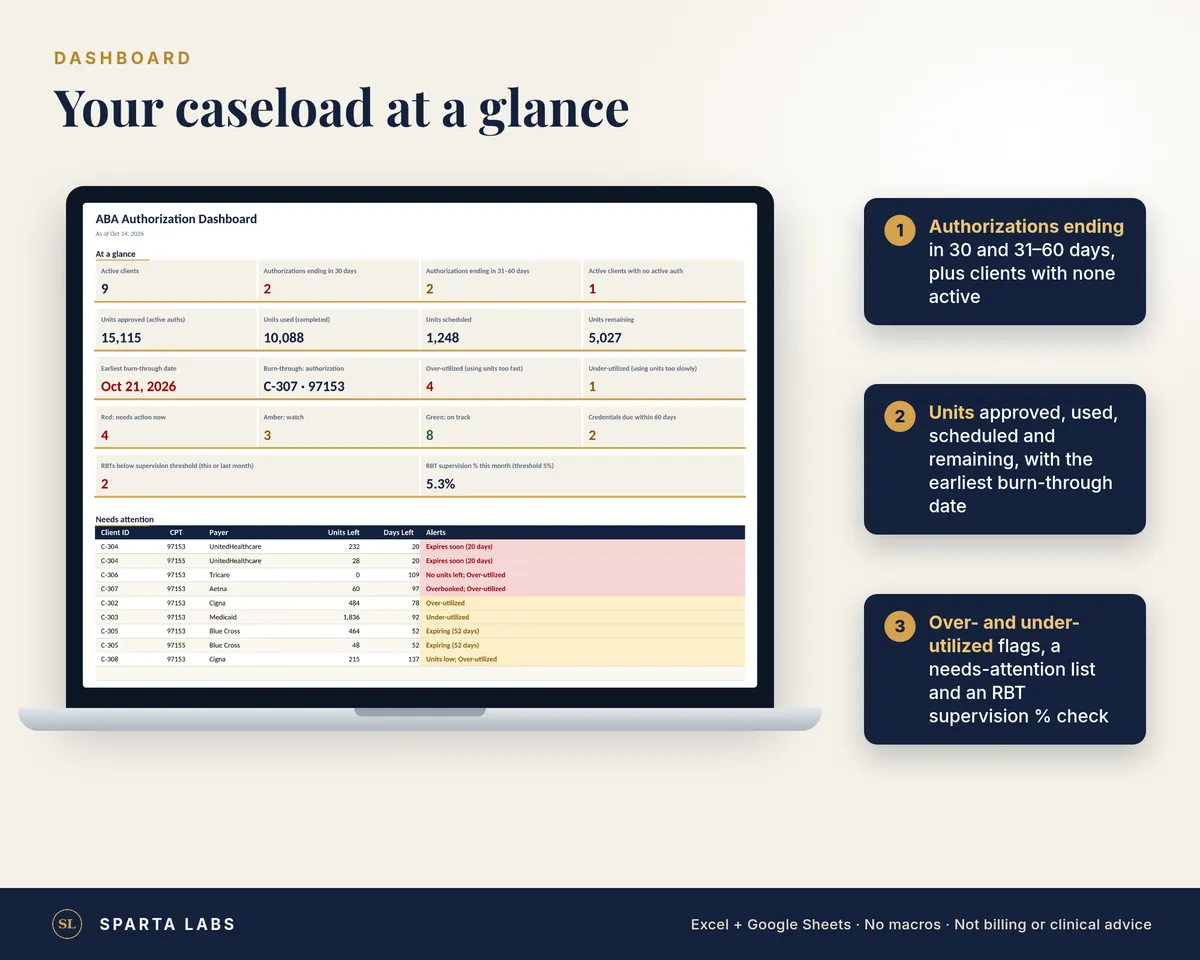
- Active clients, authorizations ending in 30 and 31–60 days, and clients with no active authorization
- Units approved, used, scheduled and remaining
- Earliest projected burn-through date and which authorization it is
- A needs-attention list and a chart of units by CPT code
- RBTs below your supervision threshold, and overall supervision % for the month
- Staff credential and recertification dates with a countdown (add your BCBAs and RBTs by ID code)
What's included
- SAMPLE workbook (fictional client IDs, staff codes and sessions)
- BLANK workbook, ready for your caseload
- Setup Guide PDF (Excel, Google Sheets and LibreOffice)
Works with: Excel 2016+ / Microsoft 365 on Windows and Mac, Google Sheets, LibreOffice Calc. Windows, Mac & Linux. Linux: use Google Sheets or LibreOffice Calc.
No macros or add-ons. Formulas are protected with no password; input cells stay editable.
Privacy: client and staff ID codes only. There are no fields for names, dates of birth, diagnoses or clinical notes. This is an organizational spreadsheet, not an EHR or a HIPAA compliance solution.
Not billing or clinical advice; payer rules vary; verify authorizations with your payer. Supervision requirements are set by the BACB and your employer; verify them and set your own threshold.
Digital download. Nothing physical ships. One license per buyer; for use in your own practice.